Complete guide to manage multiple Vinted accounts simultaneously with browser profiles. Learn the most secure technique to avoid any detection risks.
As a developer, after testing several techniques, here's the most reliable method to manage multiple Vinted accounts without risk.
Create multiple profiles in your browser to connect a different Vinted account per profile. Each session stays isolated and works perfectly with Bleam extension to maximize your sales.
Start by downloading and installing the Brave browser (recommended for better security) or use Google Chrome if you already have it.
Open your browser and type in the address bar: brave://settings/ (for Brave) or chrome://settings/ (for Chrome) to access the settings.
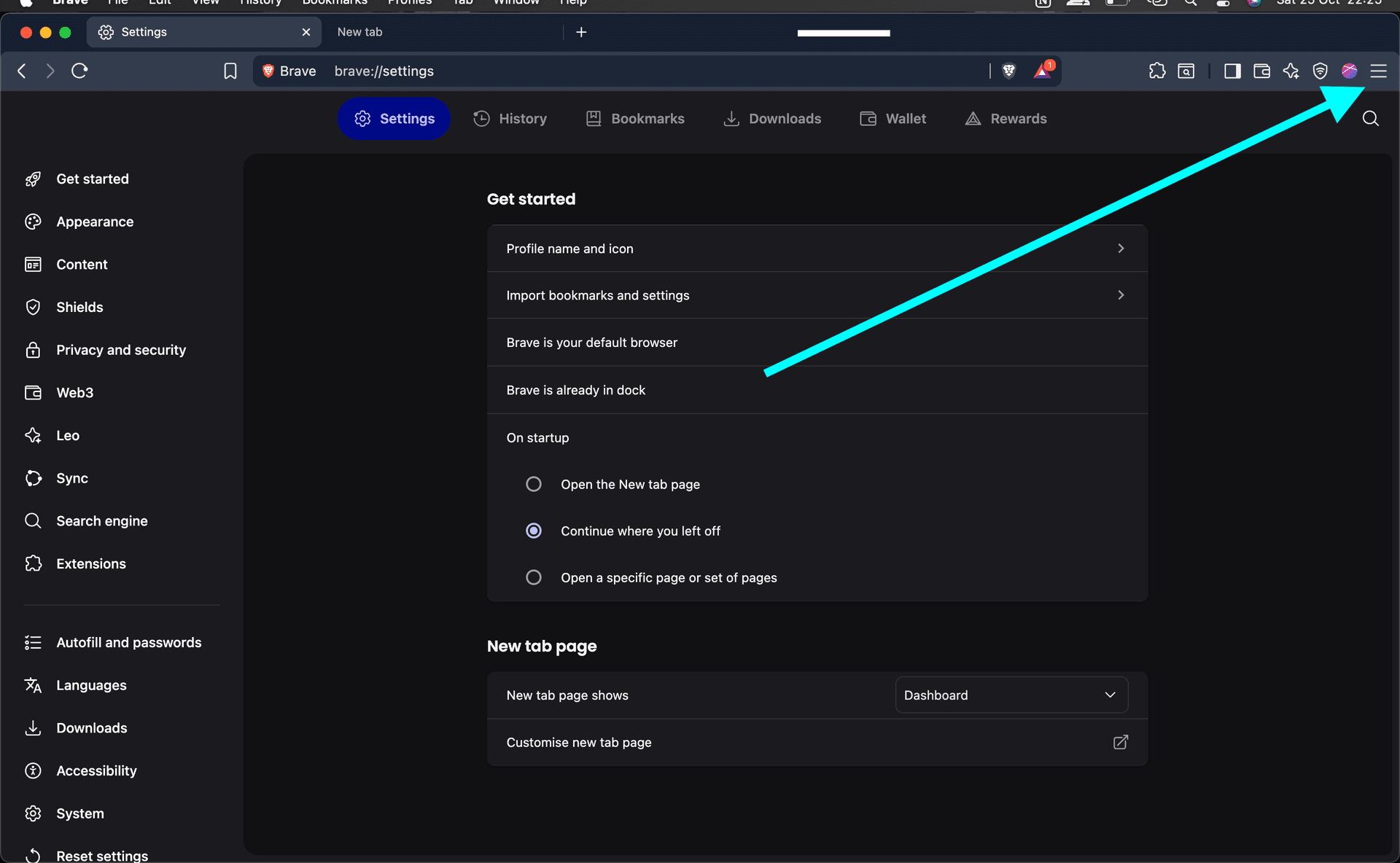
Click on the menu ☰ at the top right then select 'More tools' > 'Add new profile' to create a separate session.
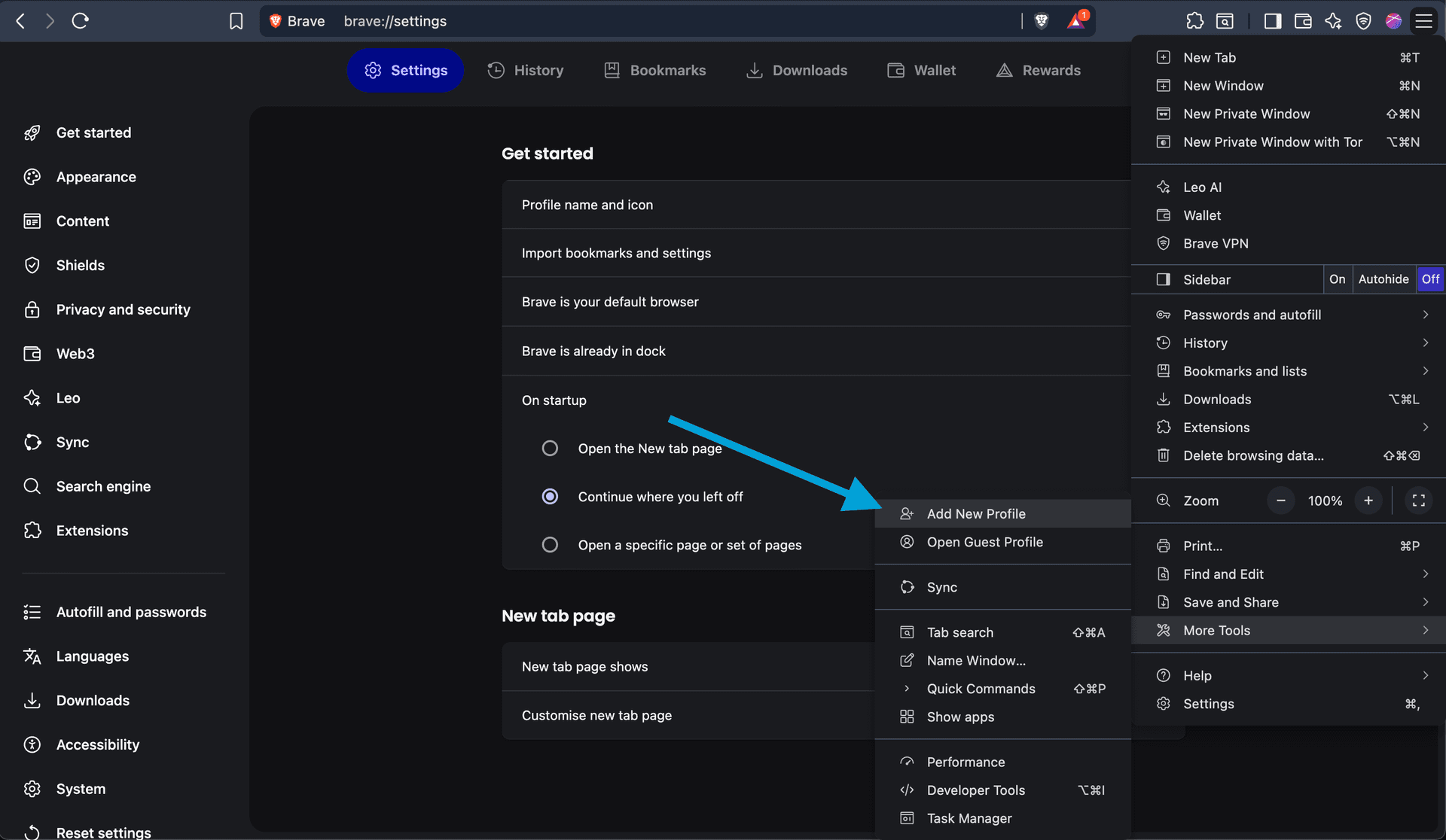
Create your new profile by following the steps. Each profile can now host a distinct Vinted account.
From now on, the browser will ask you which user to launch. Connect a different Vinted account in each user profile.
Important: if you're on a Bleam Professional or Enterprise plan and want to automate several Vinted accounts, each Brave profile has its own extensions install — Bleam installed in profile A is NOT automatically present in profile B.
For each of your new Brave profiles:
1. Open the profile in Brave. 2. Re-install the Bleam extension from the Chrome Web Store (link in the button below). 3. Sign in with your Bleam account — the SAME Bleam account across all your profiles. No need to create a separate Bleam account per profile: one subscription manages all your Vinted accounts (Pro = 3 accounts, Enterprise = 10 accounts). 4. Open Vinted, sign in to the dedicated Vinted account for this profile, and the extension auto-detects the account and offers to link it to your Bleam workspace.
Once done for each profile, your automations (AI negotiation, favourite messages, reposting, shipping labels…) run independently on each account, from the same Bleam dashboard.
Now when I launch my browser it allows me to directly choose which session to use, with my Vinted accounts already connected, no need to reconnect them every time!
Install the Bleam extension on each of your profiles to automate all your tasks on all your Vinted accounts simultaneously. Available with Pro and Enterprise subscriptions.
Découvrir les abonnementsUtilisez cette méthode avec votre navigateur et l'extension Bleam pour automatiser vos ventes sur tous vos comptes.
 Bleam
Bleam