If automatic republications are not working properly, follow these simple steps to quickly resolve the issue.
Automatic republications are a powerful Bleam feature that allows you to bring your items back to the forefront on Vinted. However, certain configurations are necessary for everything to work perfectly. Here are the steps to follow if you encounter difficulties.
For an optimal experience with automatic republications, we strongly recommend using the Brave browser. Based on Chromium (the same foundation as Chrome), Brave offers better stability for automations while naturally blocking ads and trackers.
Why Brave?
Crucial step: First and foremost, it's essential to verify that Vinted is not asking you for an SMS code to validate your actions. This verification must absolutely be done from the browser where you use Bleam.
How to verify?
Important: For automatic republications to work properly, two-factor authentication (2FA) must be enabled on your Vinted account. This is a security measure that protects your account while allowing Bleam to function reliably.
How to check and enable 2FA?
📍 Verify that two-factor authentication is enabled
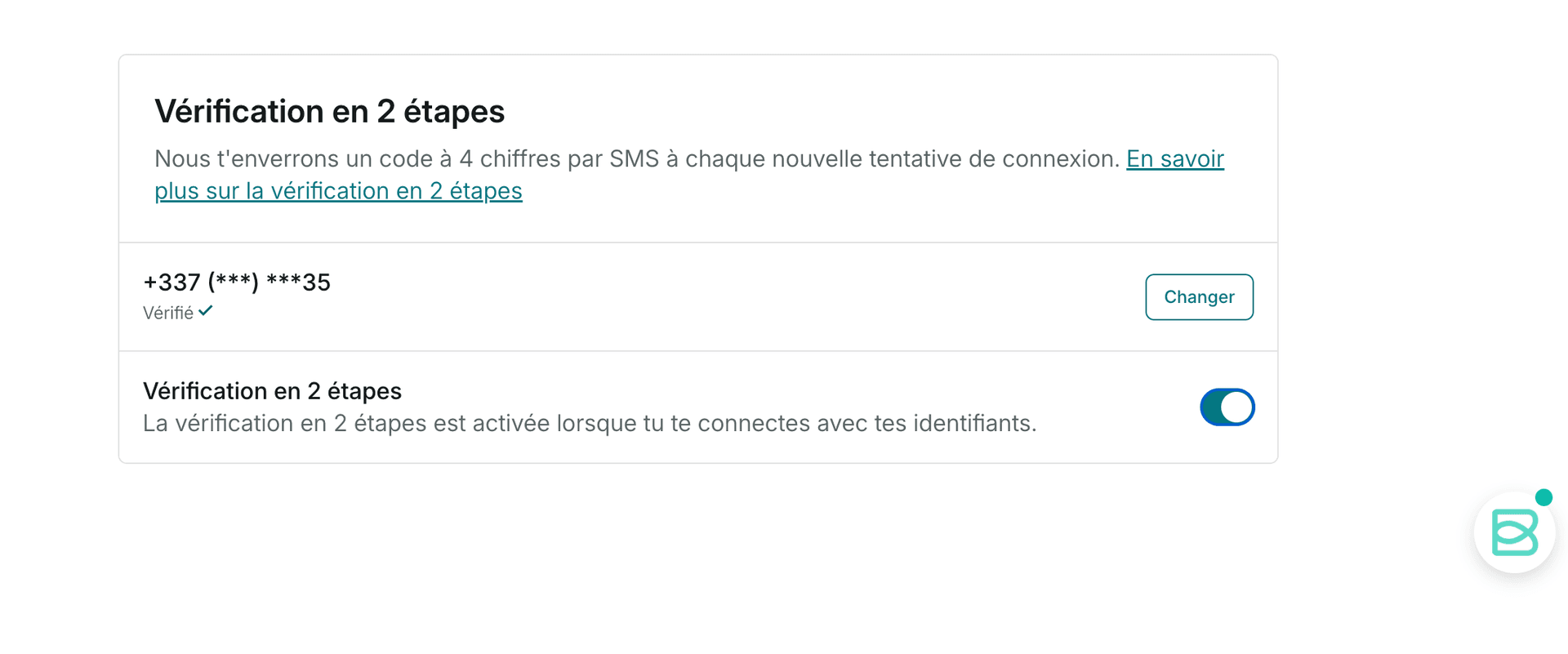
2FA is mandatory for republications
Without two-factor authentication enabled, Vinted may block certain automatic actions, including republications. Make sure it's properly enabled to avoid any issues.
Vinted sometimes implements captchas to verify that you are human. Although rare, this can temporarily block automatic republications. Here's how to quickly unblock the situation:
Access your Vinted messaging and send a message. A captcha may appear to verify you're human.
Open my Vinted inboxCaptchas can be puzzles to solve or simply an "I am human" button to click. In any case, you need to complete them to unlock your session.
If the problem persists after the previous steps, a clean reinstall of the extension can resolve the issue. Don't worry: your Bleam account and configurations are saved.
How to uninstall and reinstall Bleam?
Reinstalling ensures you have the very latest version of Bleam with all recent fixes.
If after following all these steps republications still don't work, our support team is here to help! Join us on Discord or WhatsApp for personalized assistance.
Use a dedicated tab for republications
Avoid manually browsing while Bleam performs automatic republications. This can cause interference.
Check your 2FA regularly
Make sure two-factor authentication remains always enabled. It can sometimes be disabled after a Vinted account update.
Stable internet connection
An unstable internet connection can interrupt automatic republications. Prefer a stable WiFi connection.
Most issues with automatic republications are resolved by following these simple steps: use Brave, verify SMS code via a draft, ensure two-factor authentication is enabled, check captchas, and if necessary uninstall and reinstall the extension. If the problem persists, don't hesitate to contact our support!
Our community and support team are here to assist you.
 Bleam
Bleam