Your Bleam extension is not up to date? Follow this quick guide to update it in a few clicks from your Brave or Chrome browser.
Why update?
Updating the extension gives you access to the latest features, bug fixes, and performance improvements. If you're experiencing issues, updating is often the first solution.
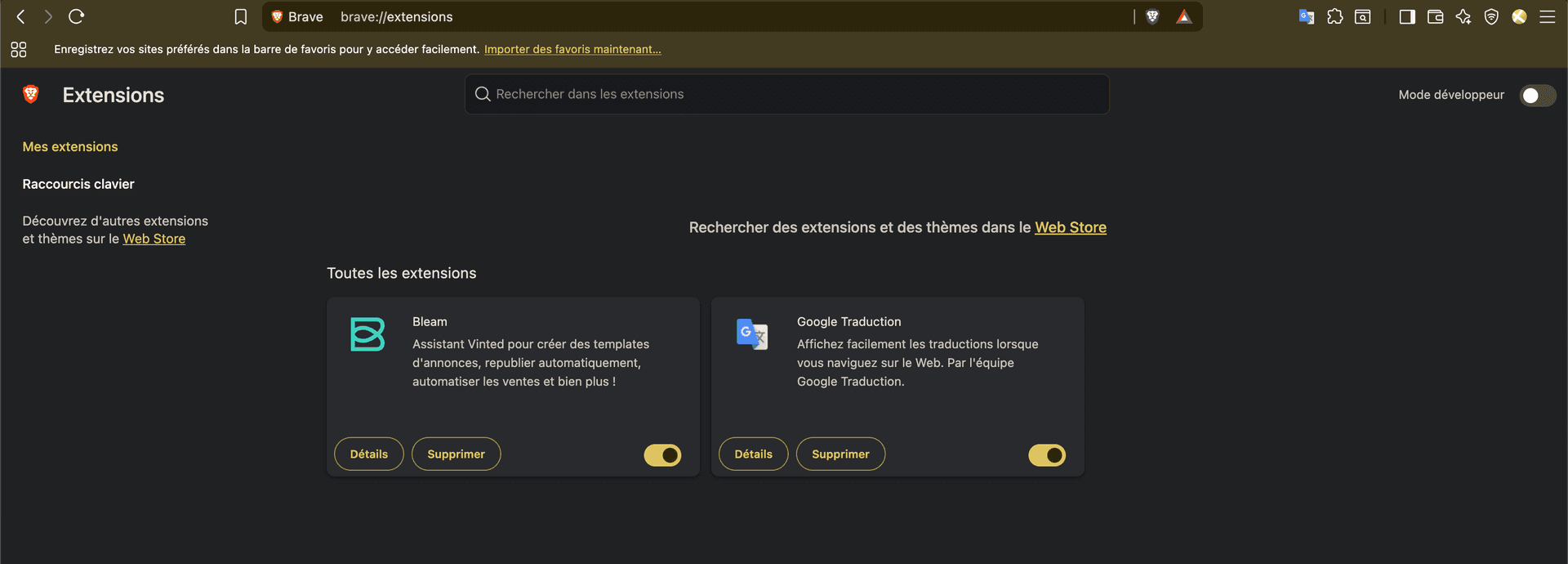
Open your browser and copy-paste the corresponding address in your navigation bar:
brave://extensions/chrome://extensions/In the top right corner of the page, enable the "Developer mode" toggle.
Once developer mode is enabled, an "Update" button appears at the top of the page. Click it to update all your extensions, including Bleam. The update happens automatically in a few seconds.
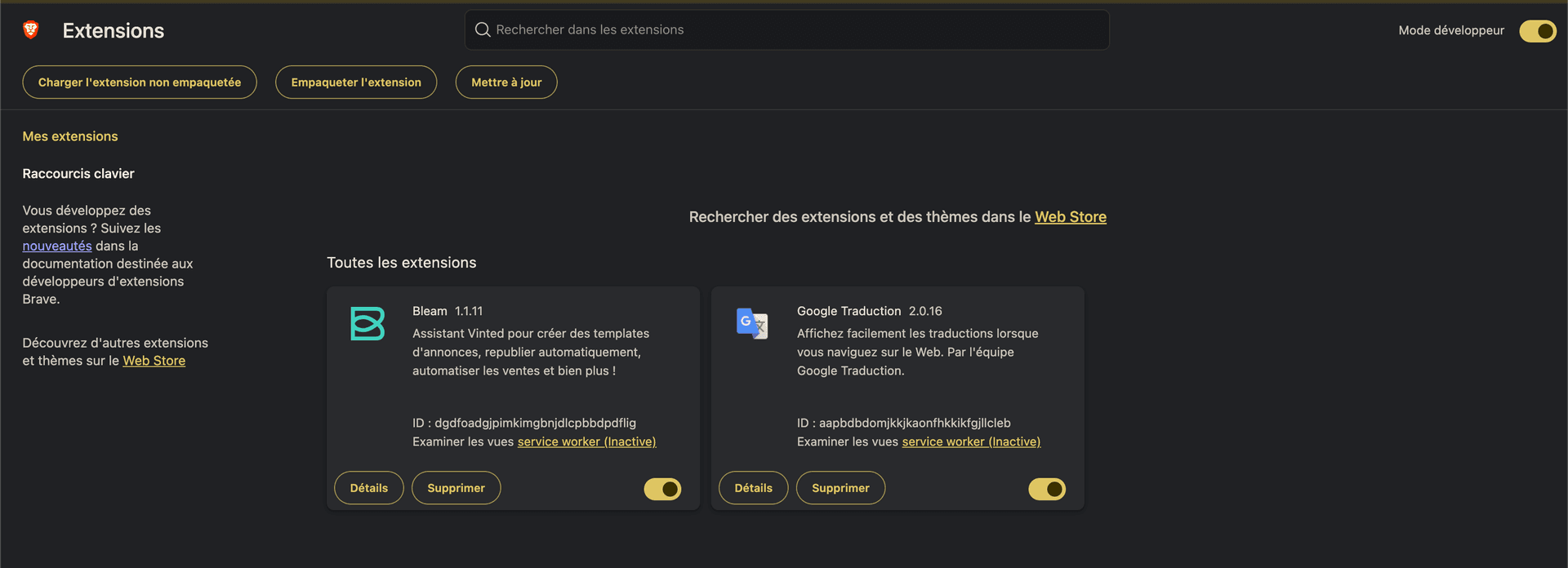
Bleam is now updated with the latest features and fixes. You can check the version in the extension details.
Tip
You can disable developer mode after updating if you wish. The extension will continue to work normally.
Now that your extension is up to date, discover all the new features available to optimize your Vinted sales.
 Bleam
Bleam