logoBleam
Guides & Tips/Business/Automate Vinted
Business
8 min read

Automate Your Vinted Sales in 2026: The Complete Guide

When you start selling seriously on Vinted, you quickly get overwhelmed. In this guide, we cover the 7 tasks you can automate today to sell more while doing less.
When you start selling seriously on Vinted, you quickly get overwhelmed. Creating listings, answering messages, negotiating prices, printing shipping labels, following up with interested buyers... It all takes a huge amount of time.

Time lost every week by an active seller:

  • Creating 50 listings at 5 min each4h10
  • Printing 30 shipping labels at 1min30 each45 min
  • Following up with 120 favorites at 30 seconds each1h
  • Answering 40 messages at 2 min each1h20

= 6 hours per week, or 24 hours per month

At €15/hour, that's €4,320 per year in lost time

In this guide, we cover the 7 tasks you can automate today to sell more while doing less.

Create listings faster with templates

The problem

Every listing on Vinted is the same thing: title, description, category, brand, size, condition, color, package size... At least 5 minutes per item. With 50 items to list per week, that's over 4 hours just for that.

What changes

The idea is simple: fill out a listing once, save it as a template, and reuse it for all similar listings.

  • Create one template per product type (one for dresses, one for shoes, one for vintage...)
  • Choose which fields to include: title, description, category, brand, size, condition, color, package size
  • Next listing: type 2 letters in the title and your template appears. One click and all fields fill automatically
  • Export and import your templates to save them or share between browsers

BEFORE

4h10

5 min × 50 items

AFTER

25 min

30s × 50 items

See Bleam in action on Vinted

Print all shipping labels in 1 click

The problem

On Vinted, you have to go into each order, click the label, download it, open it, print it. 1 minute 30 per order. With 30 sales per week, that's 45 minutes lost just for labels.

What changes

  • One button on your orders page: select your sales and get a single PDF with all your labels
  • The format adapts automatically based on the carrier (Mondial Relay, Colissimo, UPS, VintedGo...)
  • Add the buyer's name or item title on each label to stay organized
  • Compatible with thermal printers (MUNBYN, DYMO) for high-volume sellers

BEFORE

45 min

1min30 × 30

AFTER

10 sec

1 click, all in PDF

Automatically follow up with people who favorite your items

Why this is the game-changing feature

When someone favorites your item on Vinted, they're interested but still hesitating. They might be waiting for a small discount, or simply need a reminder. The problem is, if you do nothing, they forget.

A buyer contacted within 24 hours is 3 times more likely to complete their purchase than one left alone.

How it works

The extension monitors your notifications continuously. As soon as someone adds one of your items to favorites, it automatically sends the message you've prepared.

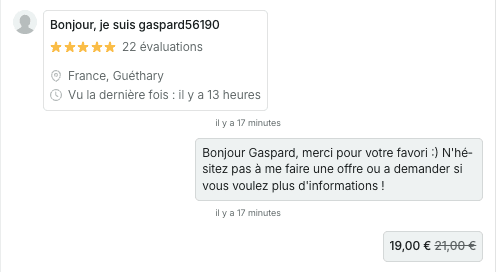
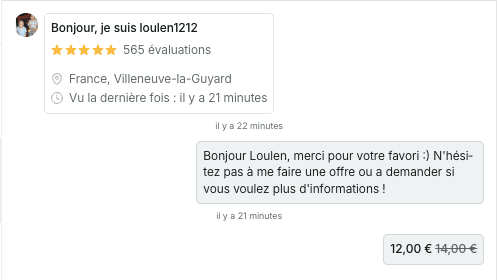
Message for a single favorite

Hi! I saw you're interested in my item 😊 If you have any questions or need more photos, don't hesitate!

Message for multiple favorites

Hello! I see you're interested in several of my items 🎉 If you take multiple pieces, I can make you a bundle deal!

Automatic offers

Choose a discount percentage (e.g. -10%) or a fixed amount (-€5), and the extension automatically creates the Vinted offer for you. It's not just a message — it's a real offer the buyer can accept in one click.
Built-in protections

  • Maximum 2 messages per buyer in 24 hours
  • If a conversation already exists on that item, no duplicate
  • If Vinted detects too many sends, the extension pauses automatically
  • Users you've blocked receive nothing
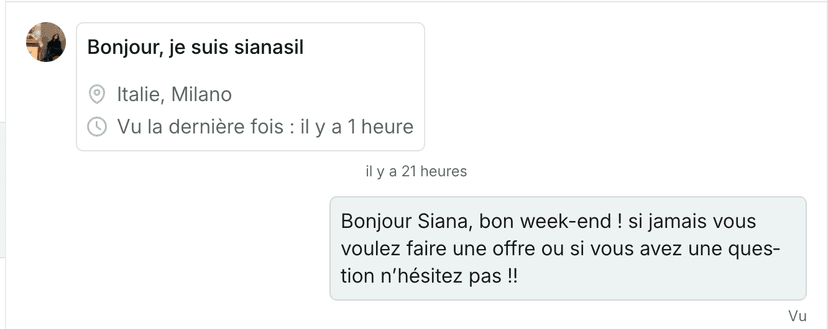
Exemple message favori 1
Exemple message favori 2
Exemple message favori 3

BEFORE

1h

30s × 120

AFTER

0 min

100% automatic

Full guide: Favorite messages

Republish your listings automatically

Why republish?

Vinted's algorithm favors recent listings. When you republish an item, it rises in search results and gains visibility — often +200 to 300% views in the first hours. That's why pro sellers regularly republish their items.

How it works

  • AI slightly rewrites your title and description so Vinted doesn't detect a duplicate. You choose the intensity: from very light (synonyms) to strong (complete rewrite)
  • Images are slightly transformed (cropping, adjustments) so they're not identical to originals. Your original photos are saved automatically
  • You can automatically adjust the price (increase or decrease, in euros or percentage)
  • You can schedule republications in advance to launch during peak hours

When to republish for maximum impact?

DayTime slotWhy
Saturday2 PM - 6 PMPeak weekend activity
Sunday8 PM - 11 PMPeople scroll before sleeping
Tuesday / Thursday7 PM - 10 PMEvenings after work
Full guide: Boost your visibility

Reply to messages with AI

The problem every seller knows

"Hello, still available?"

"Is the price negotiable?"

"Do you do try-on photos?"

"Is it really authentic?"

"When do you ship?"

You get these messages 10 times a day. A buyer who gets a response in under 5 minutes is 3 times more likely to buy. But you can't be in front of your screen 24/7. At night, at work, on vacation... every unanswered message is a potential sale lost.

An assistant that responds like you

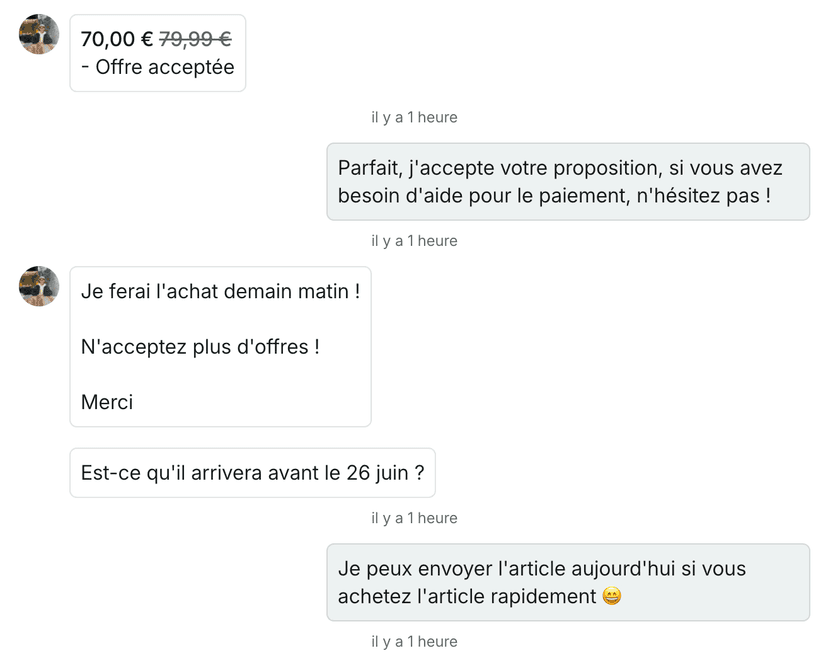
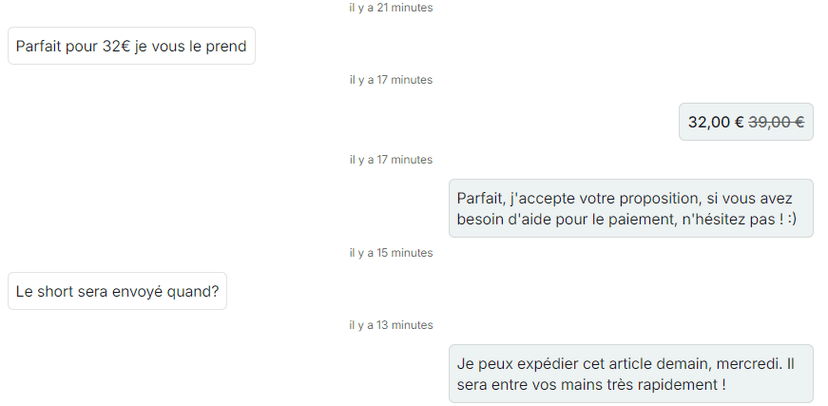
The AI reads your item description, your seller info (shipping days, measurements, try-on photos...) and generates a personalized response. You choose your assistant's personality:

😎

Young

Casual, emojis, informal

🤗

Caring

Warm, detailed, reassuring

💼

Professional

Formal, efficient, no frills

🔄

Adaptive

Mirrors the buyer's tone

What it can do

  • Availability questions: "Yes, the item is still available!"
  • Measurement requests: responds based on your config (in photos, description, or not at all)
  • Try-on photo requests: based on your config (you do them or not)
  • Authenticity questions: "100% authentic, I guarantee it"
  • Shipping questions: automatically calculates the next shipping day
  • Item condition: adapts response based on condition (new with tags, very good, etc.)
  • Custom situations: create your own rules by keywords

Two models available: Classic (fast and reliable) and Nexus (advanced, handles bundles, more complex custom situations). The assistant works 24/7.
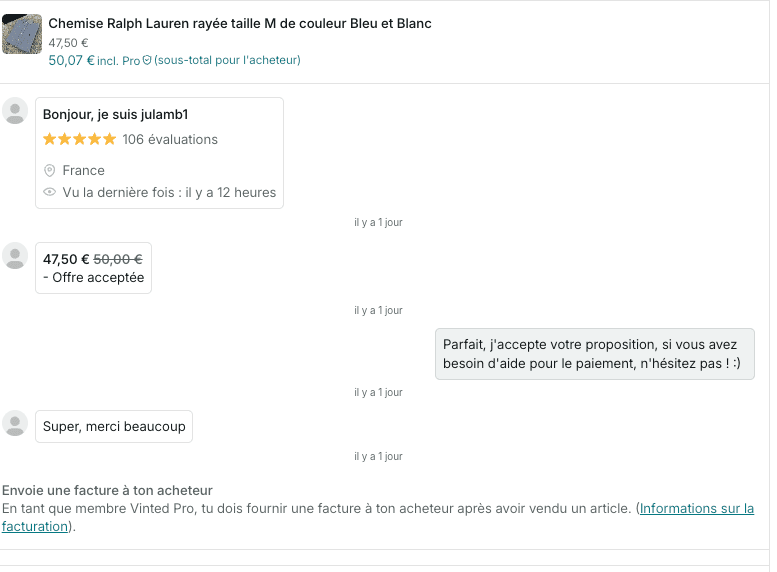
Exemple réponse IA 1
Exemple réponse IA 2
Exemple réponse IA 3
Full guide: Automatic assistant

Negotiate prices automatically

The problem

About 70% of buyers on Vinted try to negotiate. If you accept too quickly, you lose margin. If you refuse too quickly, you lose sales. And negotiating 40 offers per day manually is exhausting.

How it works

You define a negotiation margin for each price range. The AI never goes below your minimum price.

Item priceMaximum margin
Up to 10€2€
Up to 20€4€
Up to 50€10€
Up to 100€15€
Up to 200€25€
Up to 500€38€

Negotiation happens in 3 stages

Let's take a €50 item with a €10 margin:

1

First counter-offer: €45 (50% of margin)

The AI proposes a reasonable price to open the discussion

"I suggest this price, what do you think?"

2

If the buyer insists: €42 (80% of margin)

The AI concedes a bit more, but keeps some margin

"At this price, it's a great deal, what do you say?"

3

Final price: €40 (floor price)

The AI reaches the minimum you defined. It won't go lower.

"This is really my final price, I can't go any lower."

Bundle negotiation

If a buyer wants to purchase multiple items as a bundle, the AI handles that too. It accounts for Vinted's automatic bundle discount and applies a margin bonus (+20% for 2 items, +30% for 3, +40% for 4-5, +50% for 6+). Result: you're a bit more generous on bundles while protecting your margins.
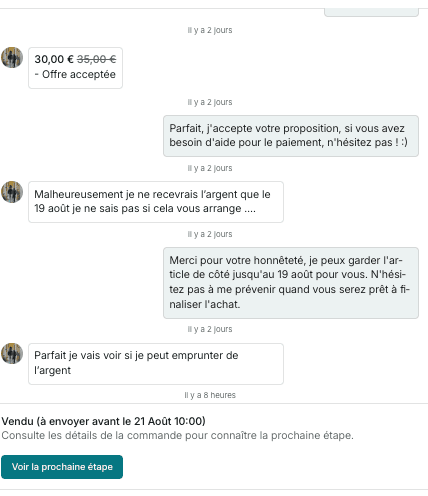
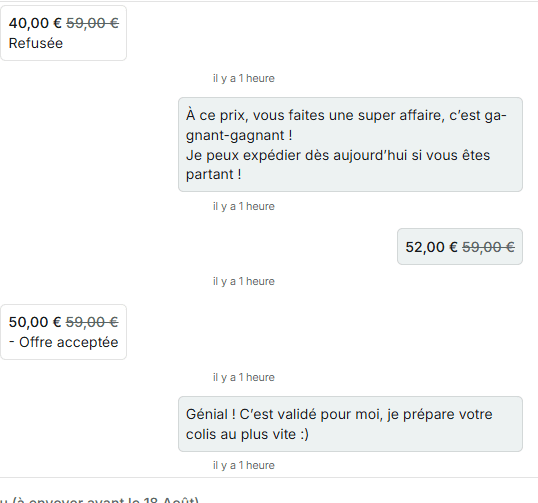
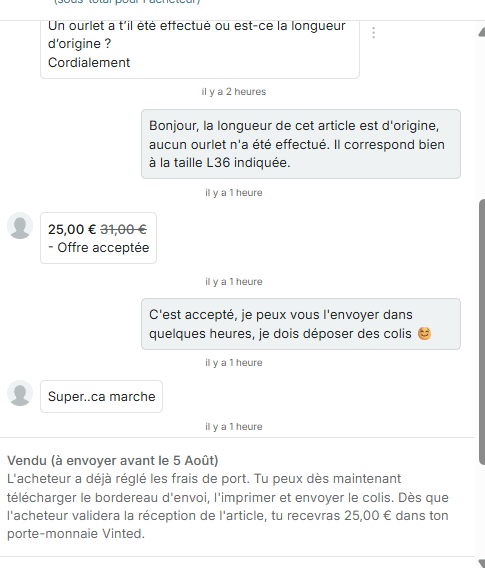
Exemple négociation 1
Exemple négociation 2
Exemple négociation 3
Full guide: Negotiation assistant

Back up your wardrobe automatically

Why it's essential

Vinted can remove listings without warning. And if your account gets banned — even by mistake — you lose everything: your photos, descriptions, prices. Some sellers have lost 500+ listings overnight.

What gets saved

  • Title, description, price, category, brand, size, condition, colors
  • All your photos in high resolution
  • Special attributes (package size, etc.)

How it works

  • Backup can run automatically in the background
  • Data is stored in the cloud (not on your computer)
  • You can restore your listings in 1 click, even on a new Vinted account
  • Up to 1,000 items per account

It's insurance. You hope you'll never need it, but the day it happens, you'll be glad you had it.

FAQ: Automating Vinted Sales

Does Vinted allow extensions?

Vinted doesn't specifically mention Chrome extensions in their terms. An extension runs in your browser — to Vinted, it looks like a normal user browsing the site. It's very different from a bot connecting to your account from an external server.

Could I get banned?

The risk is very low with an extension. Built-in protections (delays between actions, frequency limits, automatic pauses) keep your activity within safe limits. Thousands of sellers use this type of tool daily without issues.

How much time do I actually save?

On average, users report saving 6 to 7 hours per week. It obviously depends on the volume of items you manage.

Does it work with multiple Vinted accounts?

Yes. By creating separate browser profiles (one profile = one Vinted account), you can automate each account independently. Pro plans allow up to 3 accounts, and Enterprise up to 10.

What's the difference between a bot and an extension?

A bot connects to your account from a remote server — Vinted can detect that actions aren't coming from your browser. An extension works inside your browser, where you're already logged in. It's the difference between someone using your key to enter your home (extension) and someone picking your lock from outside (bot).

Which plan should I start with?

To get started, an Essential plan (templates + favorites + republication + shipping labels) is more than enough. AI auto-responses and negotiation come with the Enterprise plan, for sellers managing high message volumes.

"Saves me 6-7 hours per week easily"

Mamath

Professional seller

"Super intuitive app, I couldn't live without it now!"

Mavrick

Professional seller

"Multiplied my monthly revenue."

Arnoutopya

Professional seller

Ready to get your time back?

1Install the Chrome extension (30 seconds)
2Choose your plan (7-day free trial)
3Start automating today

Every day without automation is €24 lost in time. No commitment.

Start for free